Running DeepSeek Harness for the first time
DeepSeek open-sourced the Harness on 2026-08-13 alongside the V4 Pro release, MIT license, v0.1 developer preview. By the evening of 2026-08-14 it had passed 90,000 stars. We walked the entire onboarding on a clean macOS machine the day after release — here is exactly what happened.
Prerequisites
- Node.js installed (we ran v22.22.3). Nothing else — no sign-up, no invite code, no payment.
- A DeepSeek API key only if you actually want to chat with a model. The UI lets you skip it.
Step 1 — one command
npx @deepseek-ai/dsh web
First execution downloads dependencies; give it a few minutes. When it finishes, the terminal
prints dsh web: http://127.0.0.1:3080. Everything runs locally — no account system,
no cloud dependency.
Step 2 — the beta consent page
Opening http://127.0.0.1:3080 first shows an internal-preview disclaimer aimed at
harness developers. Click Continue.
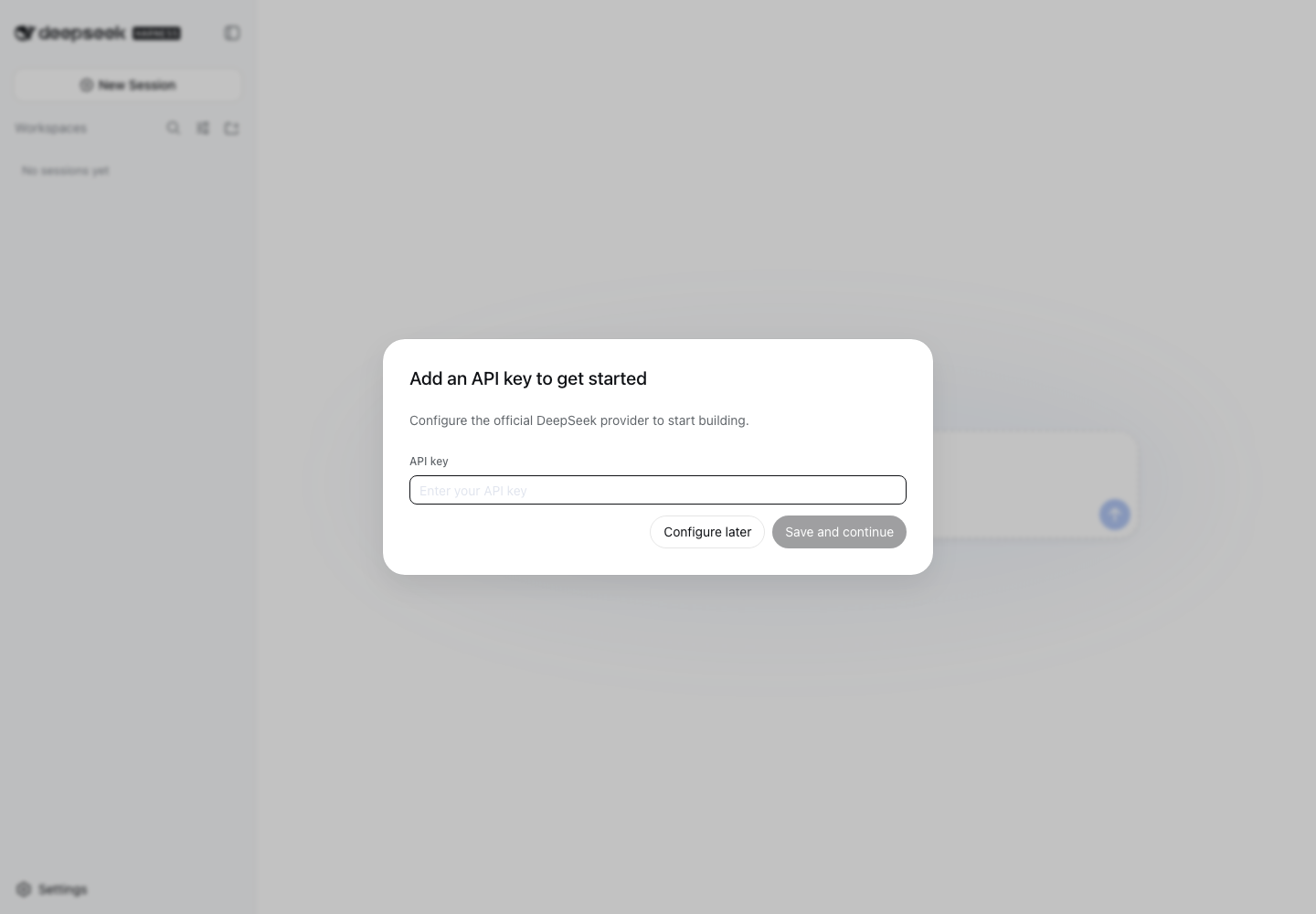
Step 3 — API key (or skip it)
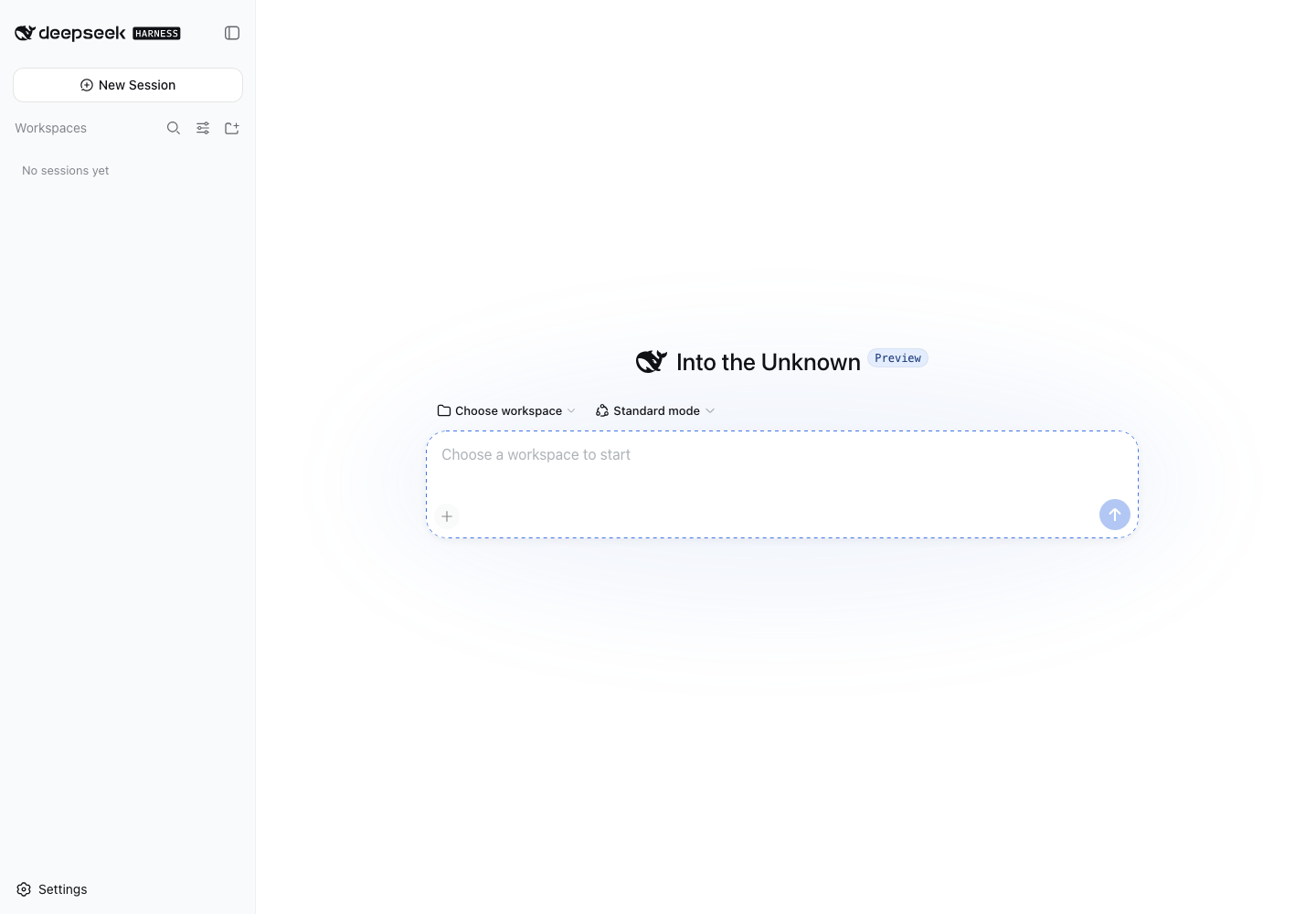
The setup wizard asks for a DeepSeek API key. Configure later skips straight into the main UI — useful if you just want to inspect the interface.
What the mode selector actually offers
Four modes ship in v0.1, each a different default plugin set:
- Standard — the full toolset, default for daily agent use.
- PTC — programmatic tool calling: the model writes code that orchestrates multi-round tool calls, cutting round-trips on long chains.
- Minimal — one shell tool and one file editor. This is what the official benchmark uses, for clean model comparisons.
- Create — inspect the running Cordis runtime and compose plugins in memory.
Things worth knowing before you invest time
- v0.1 means breaking changes. The README bolds this. Build against it expecting refactors.
- Everything is a plugin. The core is just a Cordis plugin loader; models, tools, skills, sessions, sandboxes, storage, UI are all plugins. Swapping the model plugin and swapping a file editor are architecturally identical operations.
- Append-only session logs. Every system prompt, thought, tool call and result goes into a single append-only event stream. Resume, fork, search and replay all share it — this is the most production-minded part of the design.
Two-minute quick start
# start (needs Node.js)
npx @deepseek-ai/dsh web

# open http://127.0.0.1:3080
#   beta disclaimer → Continue → API key (or Configure later) → main UI

# read the source instead
git clone https://github.com/deepseek-ai/deepseek-harness.git
cd deepseek-harness && pnpm install && pnpm run build && pnpm dsh webFacts verified against: GitHub API (star count, license, release date) on 2026-08-14; official README and docs; and the onboarding session above. Base repo: deepseek-ai/deepseek-harness.